For private clinics in Afghanistan
Easy, smart management for your clinic
ShifaYar is fully offline desktop software: patient registration, doctor scheduling, today's queue, invoices with partial payments, Dari receipts and accurate financial reports — all on the clinic's own computer, encrypted.
Free on-site installation and staff training
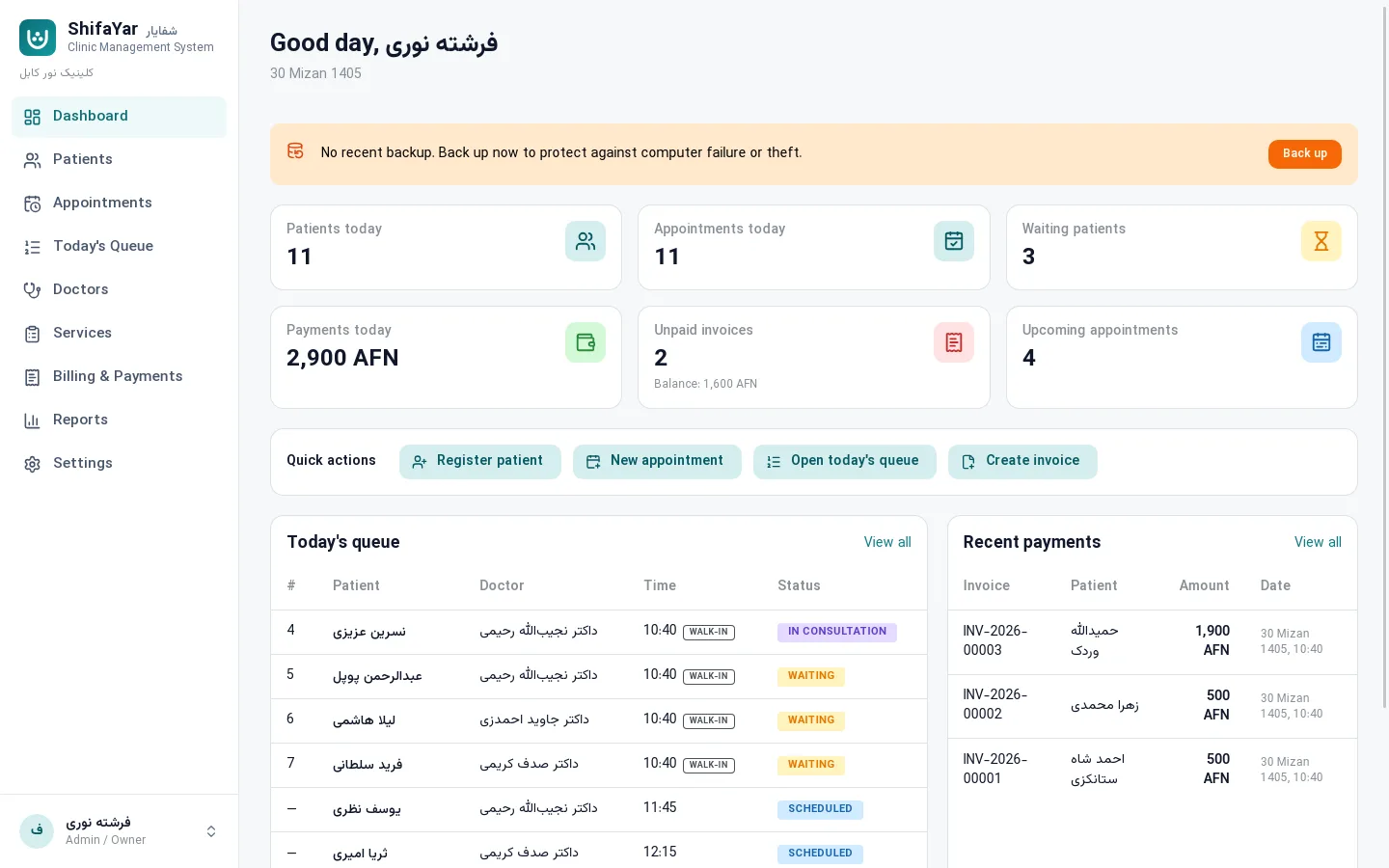
- 100% offline
- AES-256 encryption
- Dari & English
- Windows, macOS & Linux
Features
Everything a small clinic needs, every day
From the first patient of the morning to the month-end financial report, in one simple, fast application.
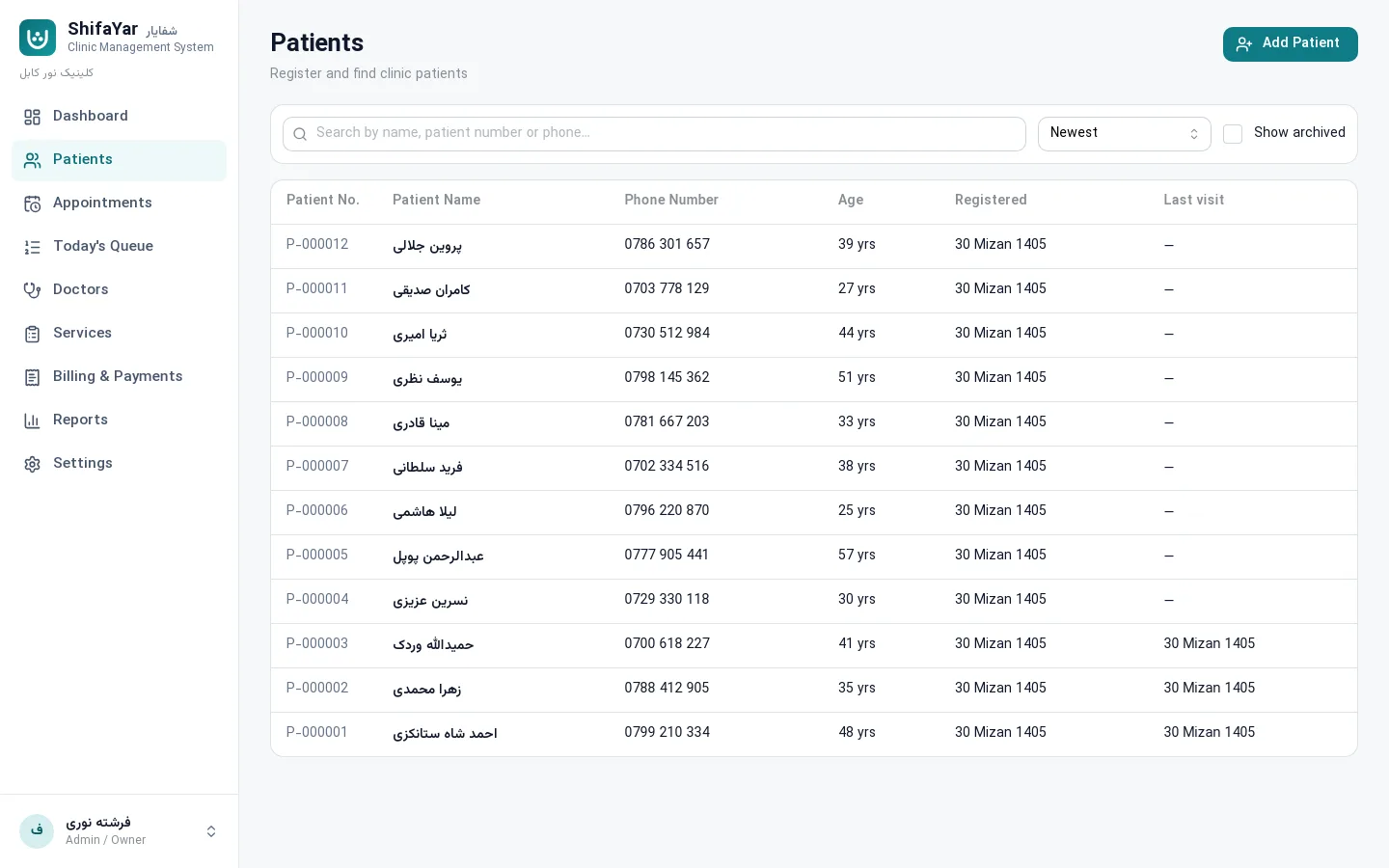
Patients
Fast registration with duplicate warnings, search by name, patient number or phone, plus each patient's appointments, invoices and balance.
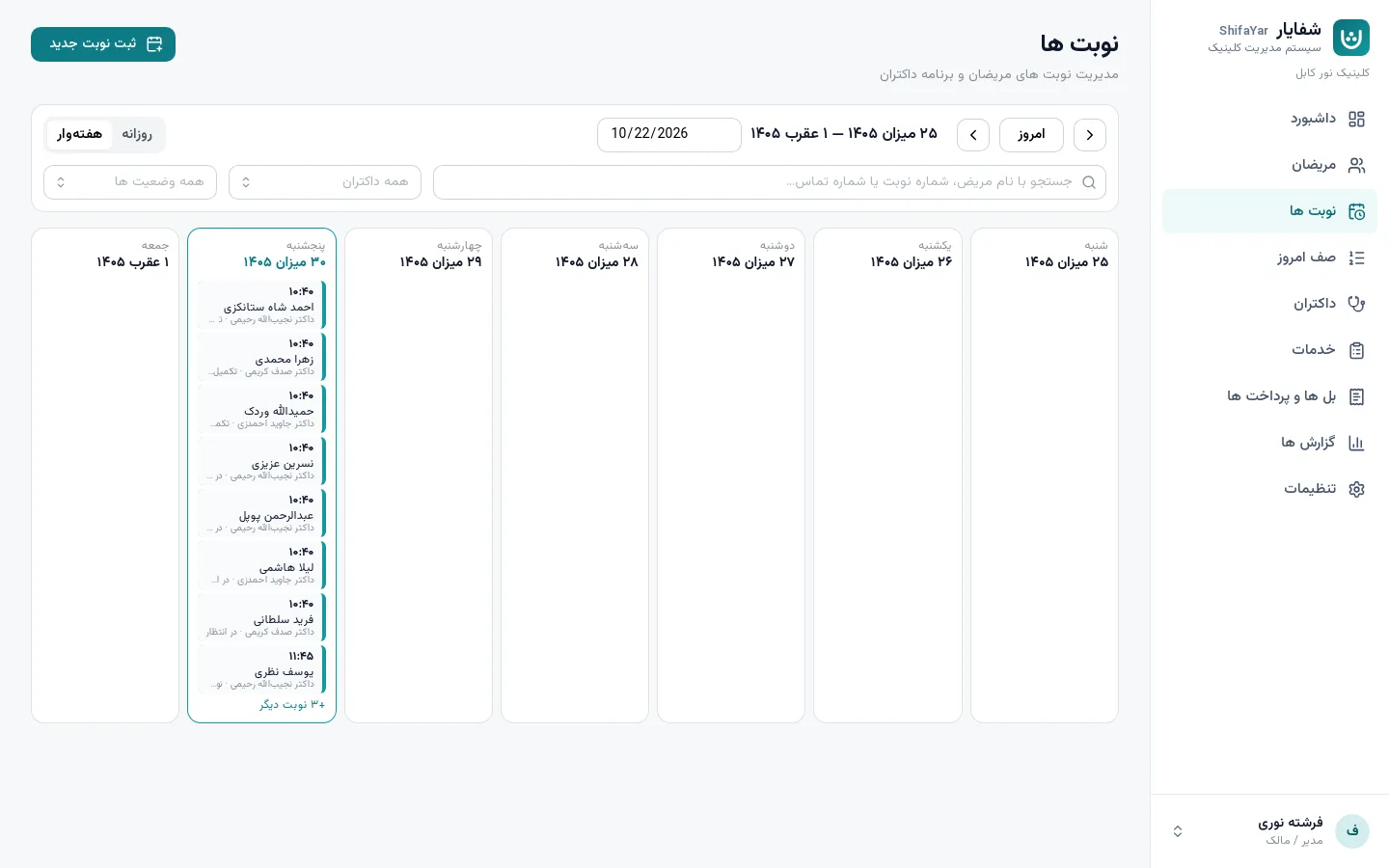
Appointments & doctor hours
Day and week views, each doctor's free time slots, and automatic prevention of overlapping bookings.
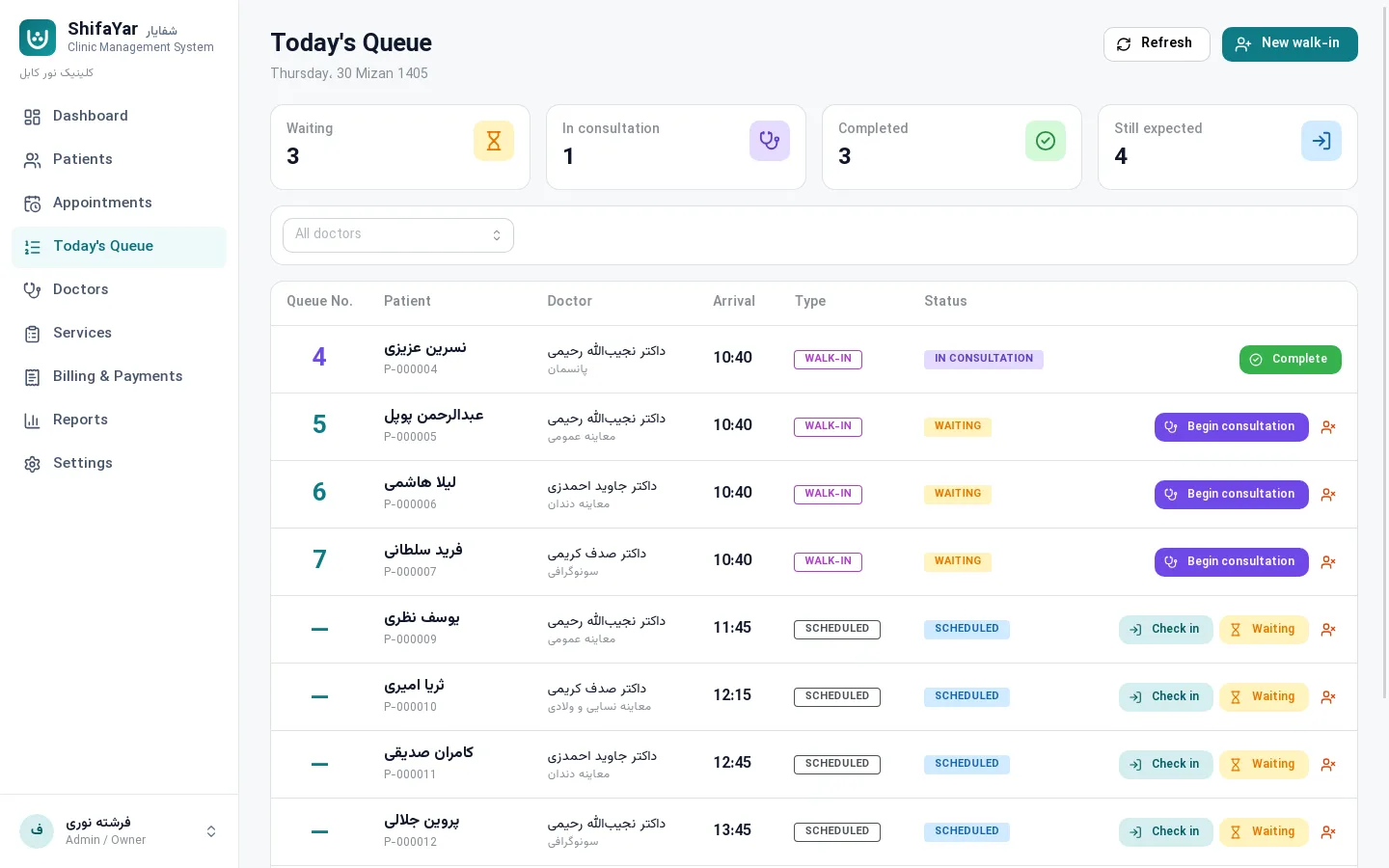
Today's queue
Queue numbers, scheduled or walk-in visits, and one-click status changes: waiting, in consultation, completed.
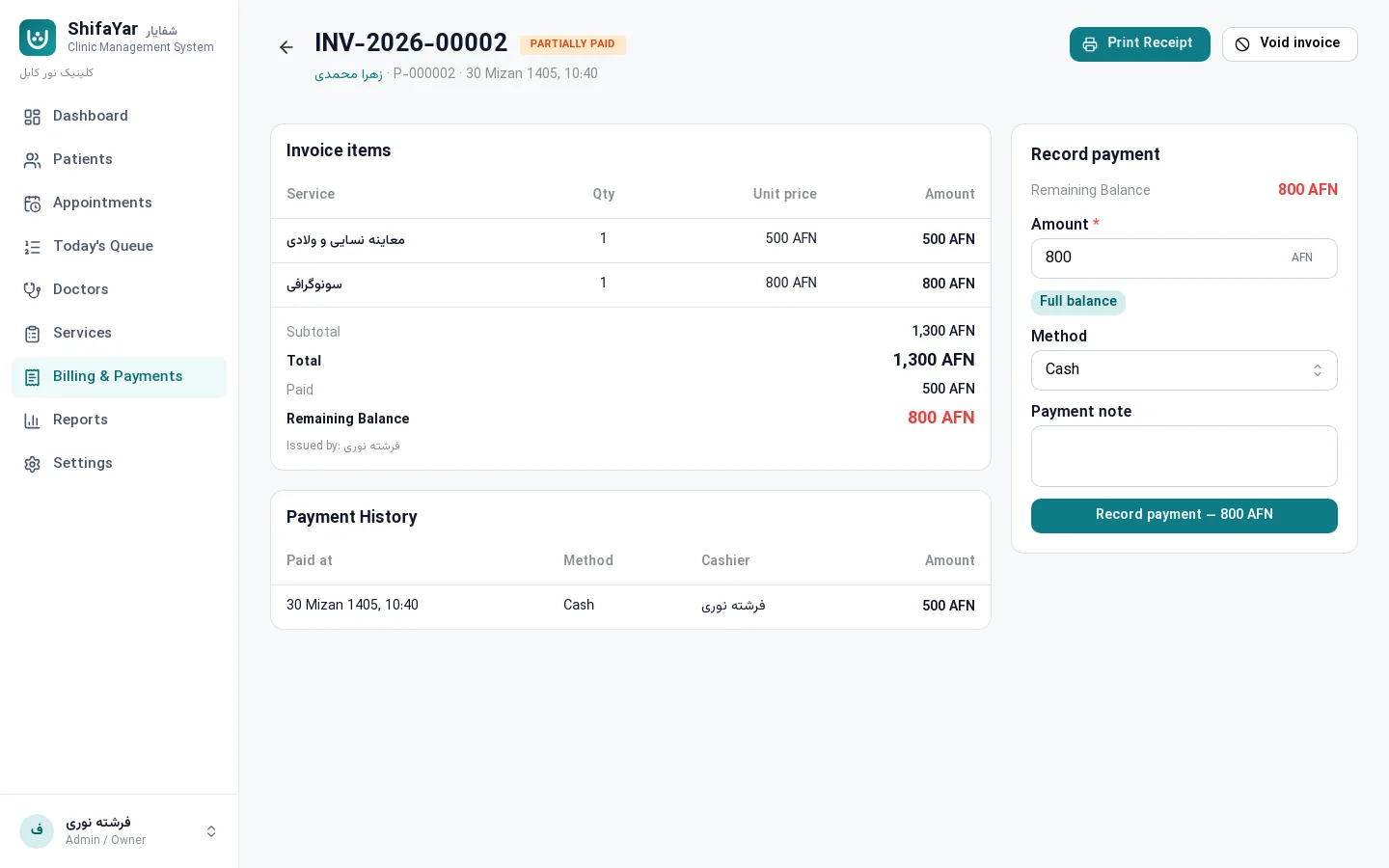
Invoices, partial payments & Dari receipts
Several services per invoice, full or partial payments, exact remaining balances, A4 or 80 mm receipts and PDF export.
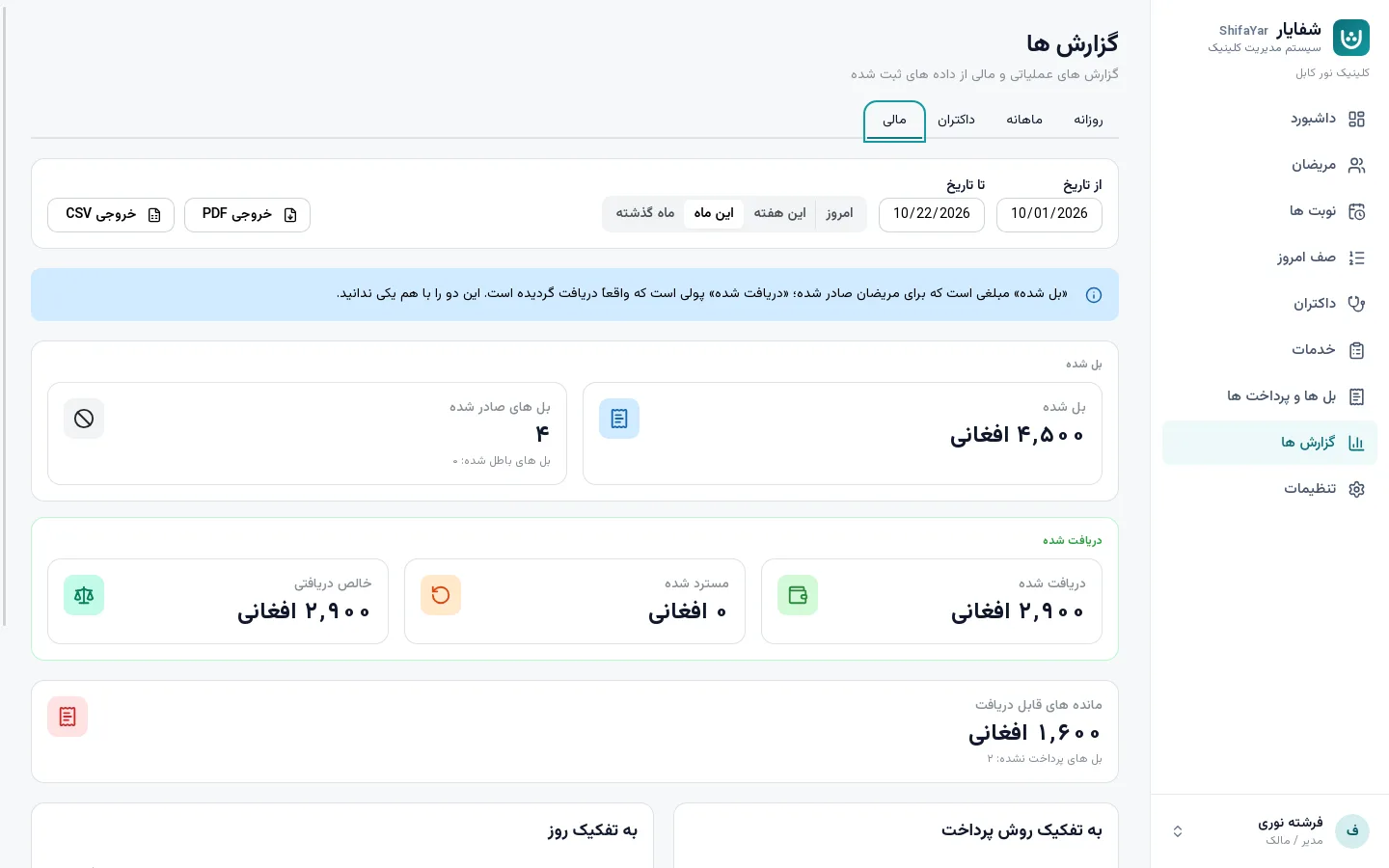
Clear reports
Daily, monthly, doctor and financial reports — what was billed and what was actually collected are always shown apart. PDF and CSV export.
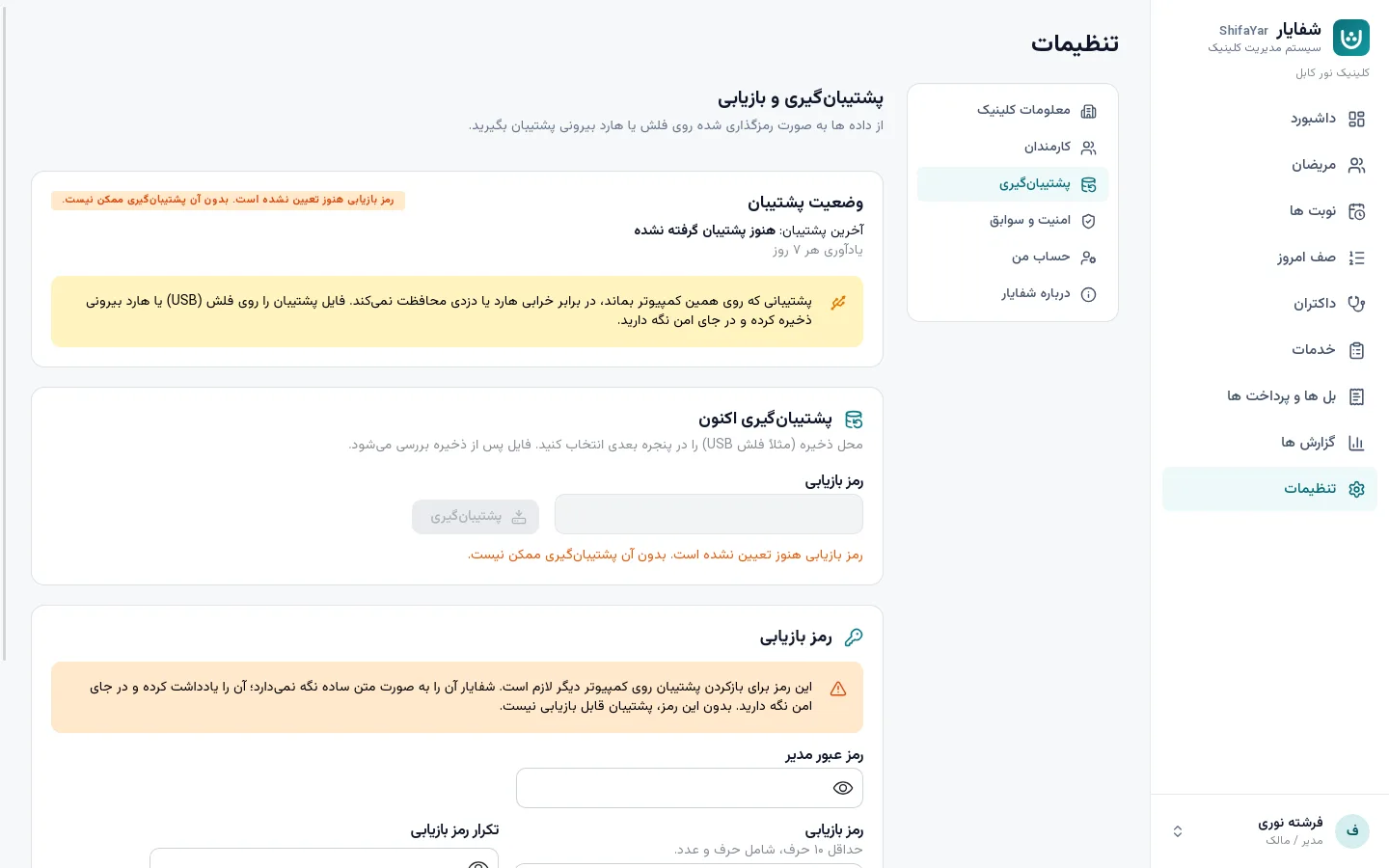
Encrypted backups to USB
Complete backups protected by a recovery secret, verified after saving, and restorable on a new computer.
Roles & access
Admin, receptionist and doctor — everyone sees only what they need. Automatic lock when staff step away.
Solar Hijri calendar & Dari digits
Dates with Afghan month names such as “29 Mizan 1405”, and amounts in Persian digits with thousands separators.
Workflow
A working day in ShifaYar
The path reception, doctors and the owner follow every day — no paper, no confusion.
- 01
Register the patient
A name and phone number are enough; ShifaYar shows similar patients to prevent duplicates.
Register the patient - 02
Book the appointment
Pick the doctor and service; only free slots inside working hours are offered.
Book the appointment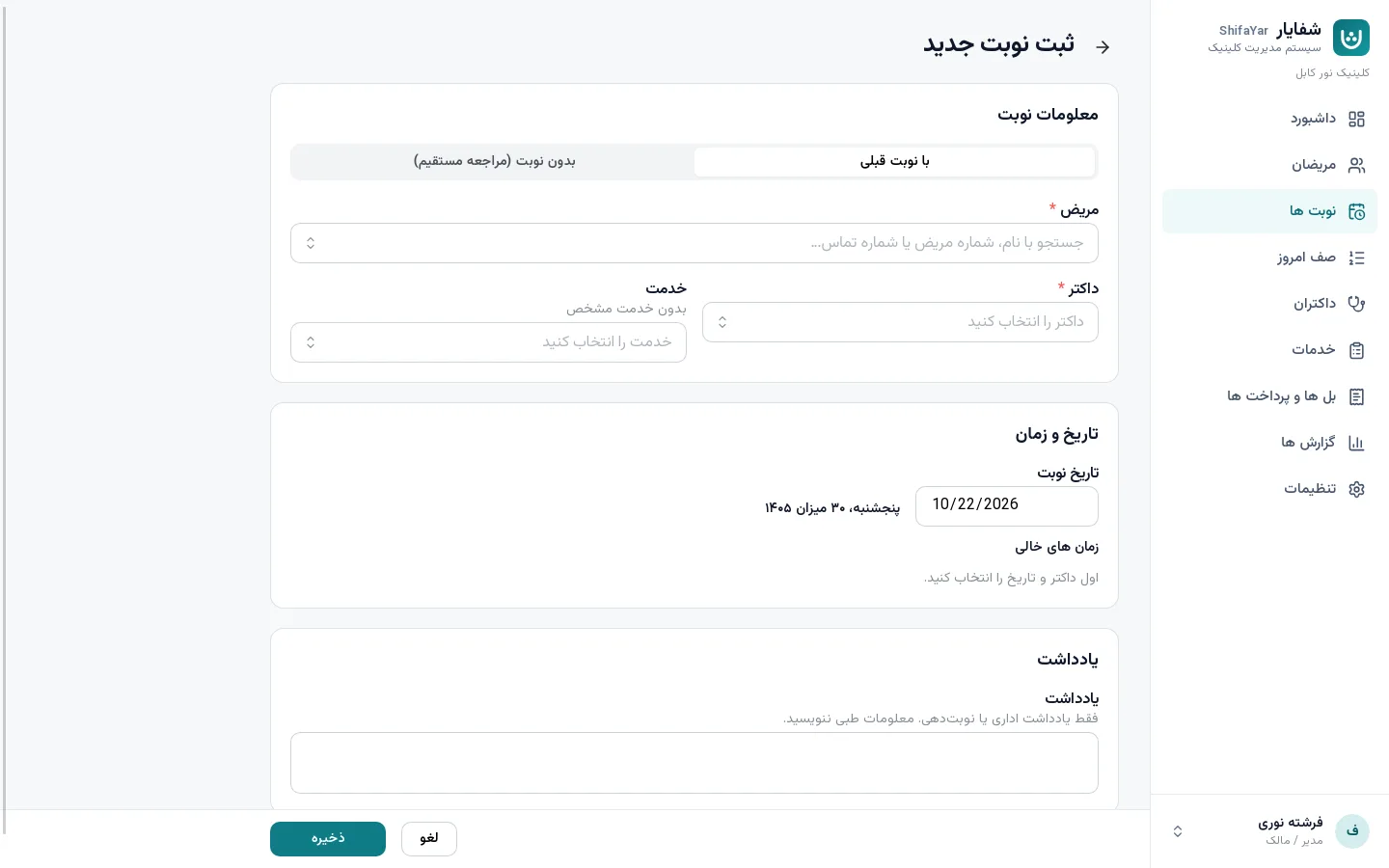
- 03
Today's queue
Patients arrive with a queue number and the doctor starts and completes the visit.
Today's queue - 04
Invoice & partial payment
Invoice 2,500 AFN, paid 1,000 AFN — a remaining balance of 1,500 AFN is recorded exactly.
Invoice & partial payment - 05
Print the receipt
A clean Dari receipt with the clinic logo, on A4 or an 80 mm receipt printer.
Print the receipt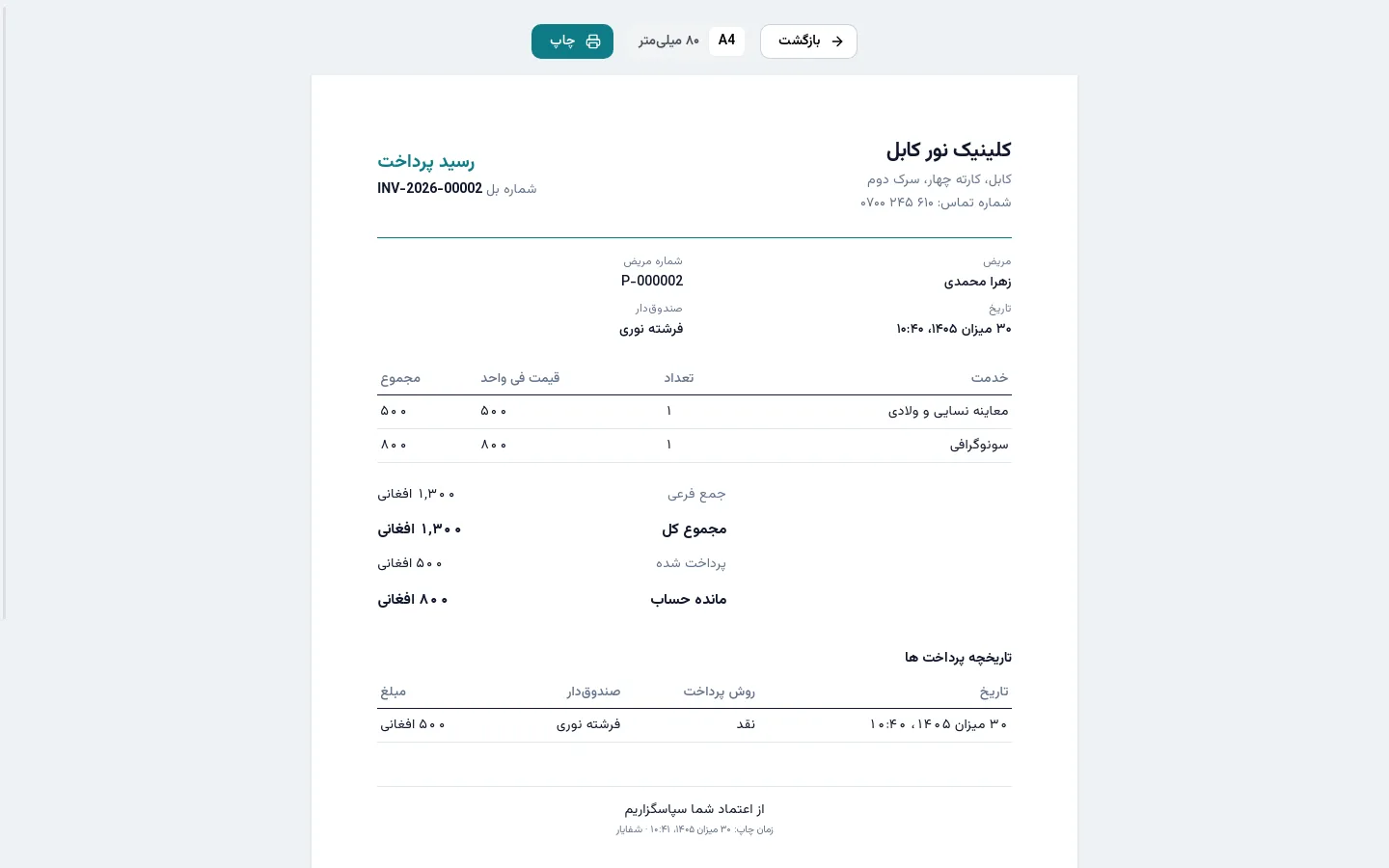
- 06
End-of-day report
See money collected, unpaid invoices and each doctor's work at a glance.
End-of-day report
Built for Dari
Real Afghan Dari — not a quick translation
The whole application is designed right-to-left with the highly legible Vazirmatn typeface, the terms clinics in Afghanistan actually use, and the Solar Hijri calendar with Afghan month names. Receipts print in Dari too.
Security & privacy
Patient information is protected from day one
ShifaYar never sends anything to the internet. Everything stays on the clinic's computer, encrypted.
Encrypted database
SQLCipher with AES-256; the file is unreadable without its key.
Key protected by the OS
The encryption key is held by Windows DPAPI or the macOS Keychain, not in a plain file.
Secure passwords
Passwords are stored with Argon2id, and there is no default password.
No internet, no tracking
No servers, no subscriptions, no analytics, no data leaving the clinic.
Backups with a recovery secret
Encrypted backups on a USB drive that open only with the clinic's recovery secret.
Audit history
Who did what is recorded — without storing patient names or phone numbers in the log.
Inside the app
Real screenshots of ShifaYar
- Dashboard
Dashboard
- Today's queue
Today's queue
- Patient record
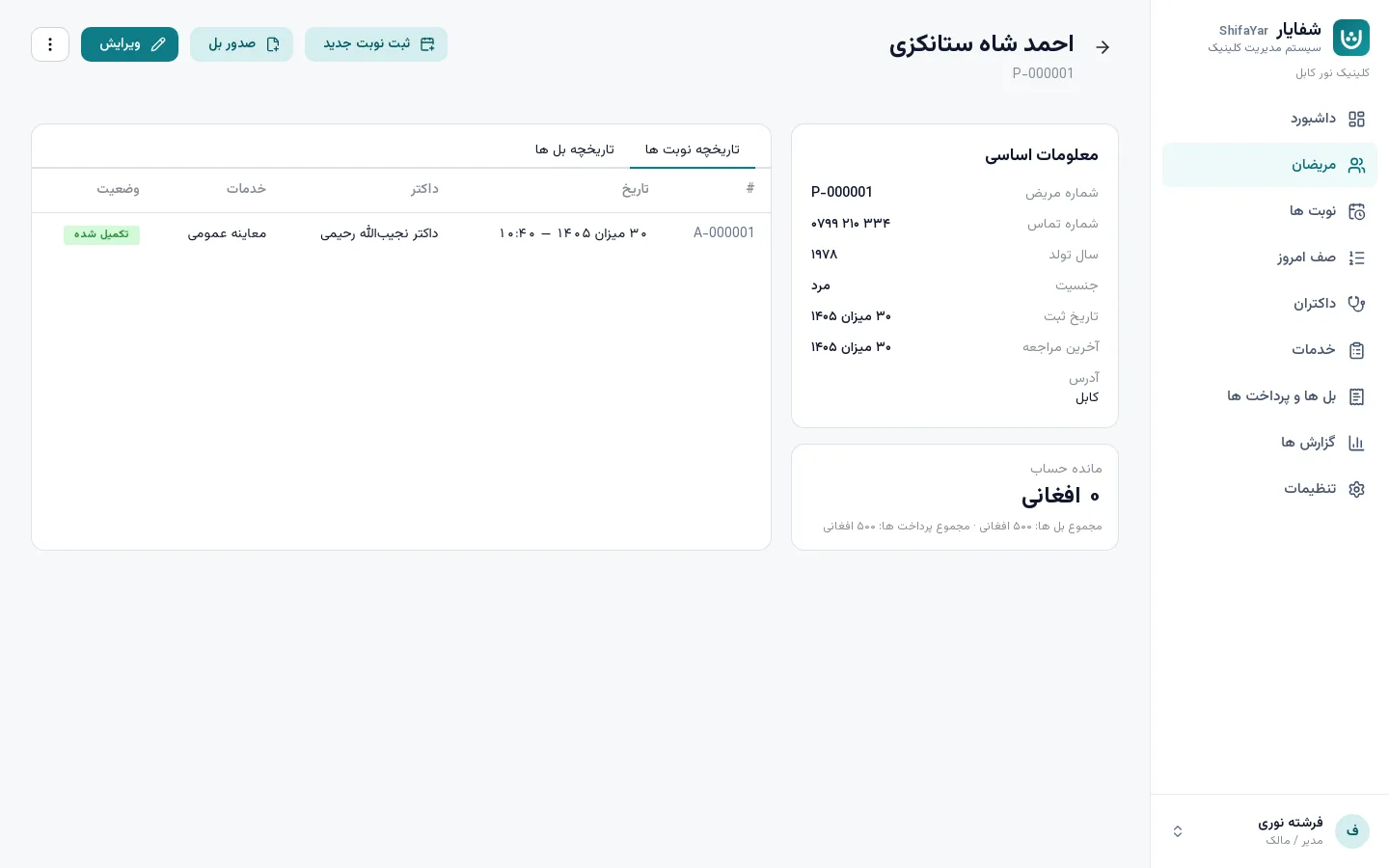
Patient record
- Day's appointments
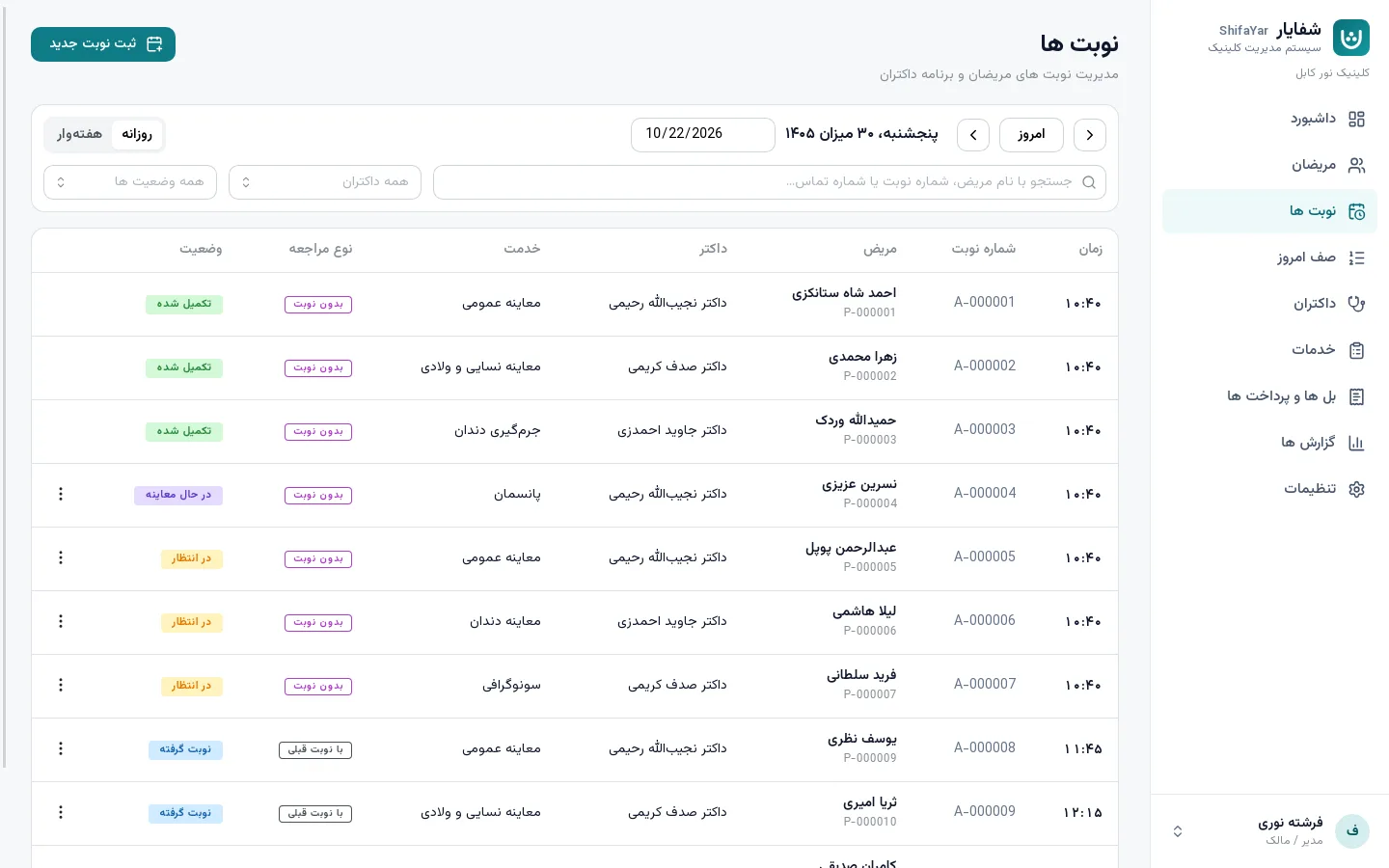
Day's appointments
- Billing & payments
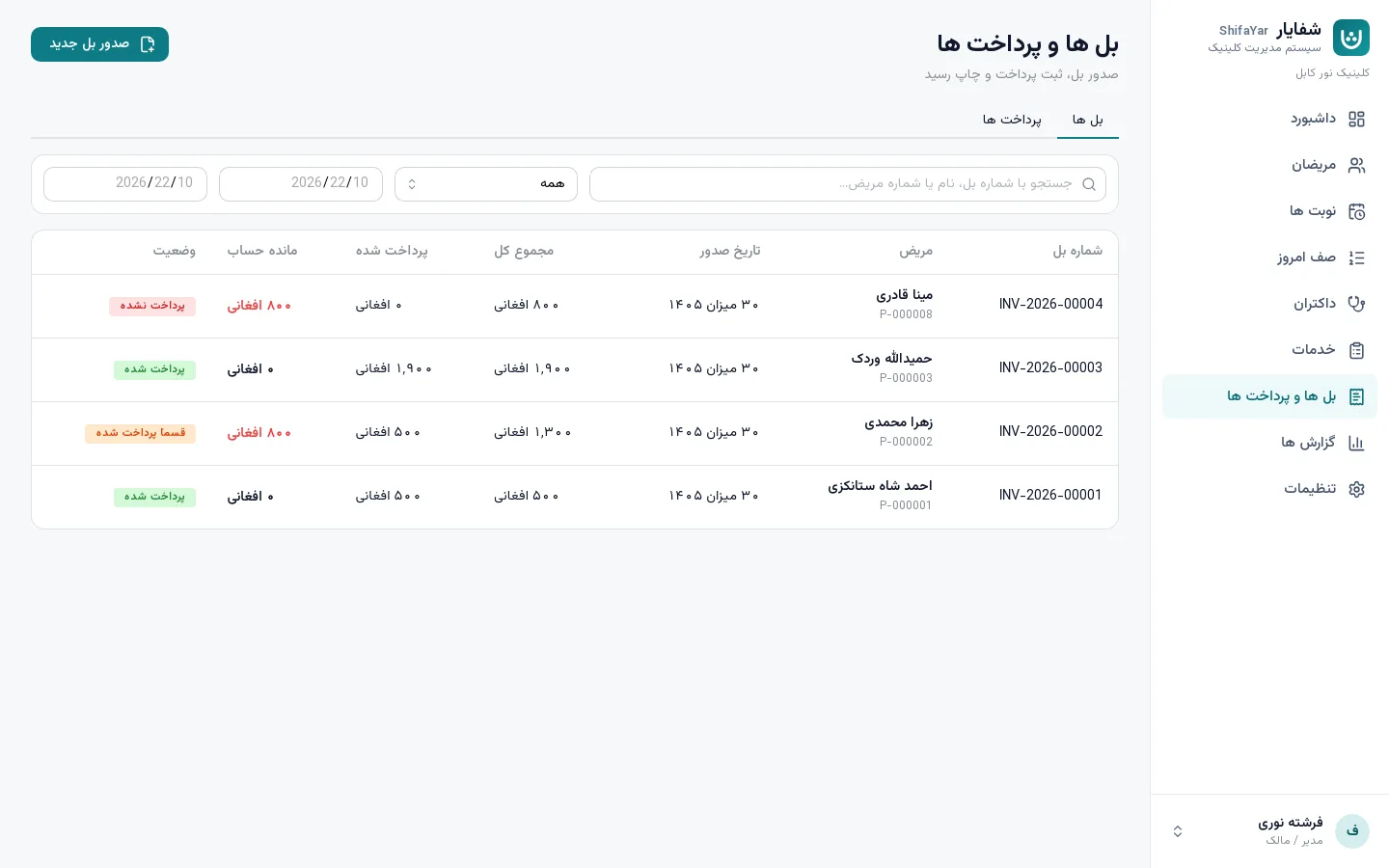
Billing & payments
- Doctor working hours
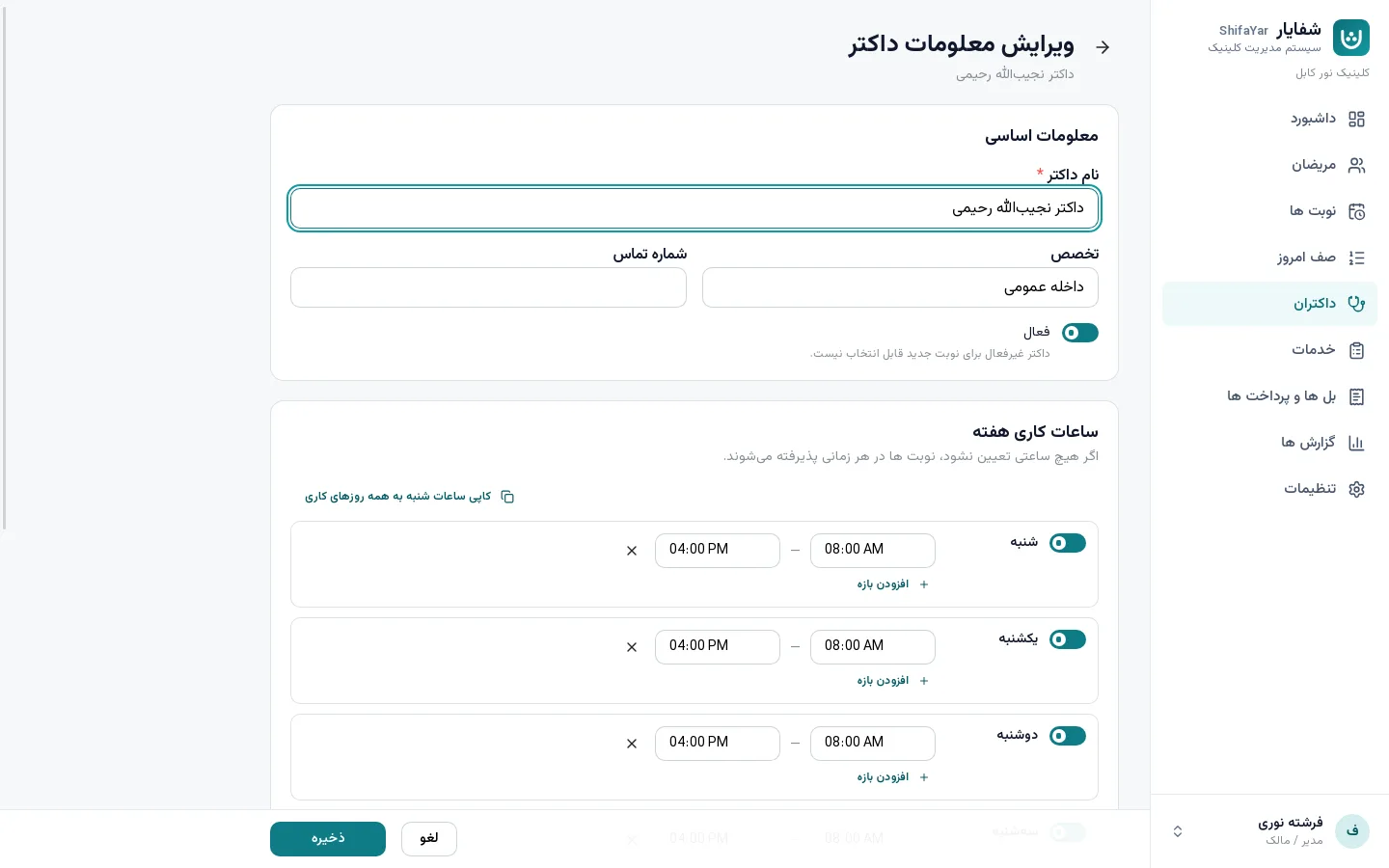
Doctor working hours
- Services & prices
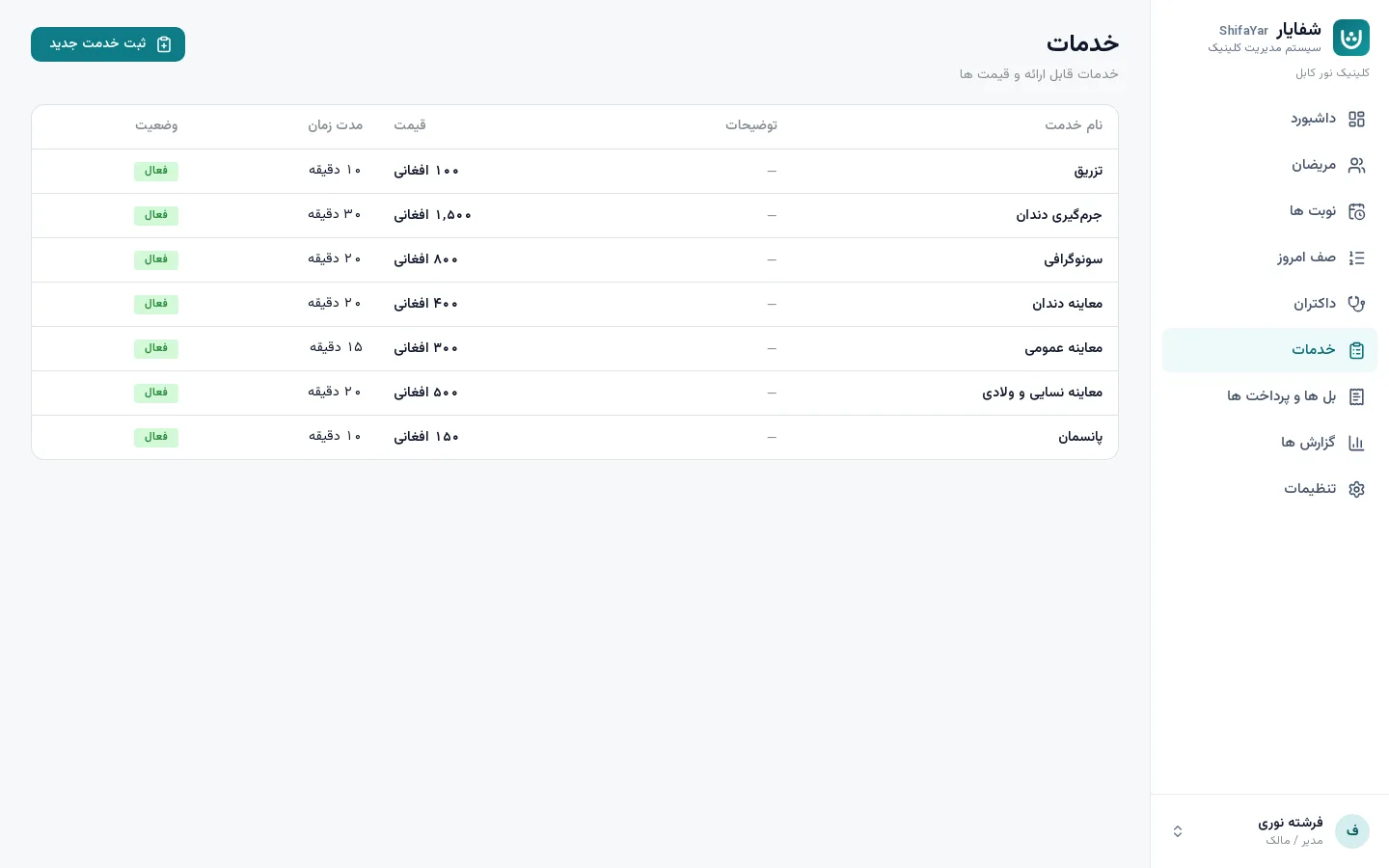
Services & prices
- Encryption status
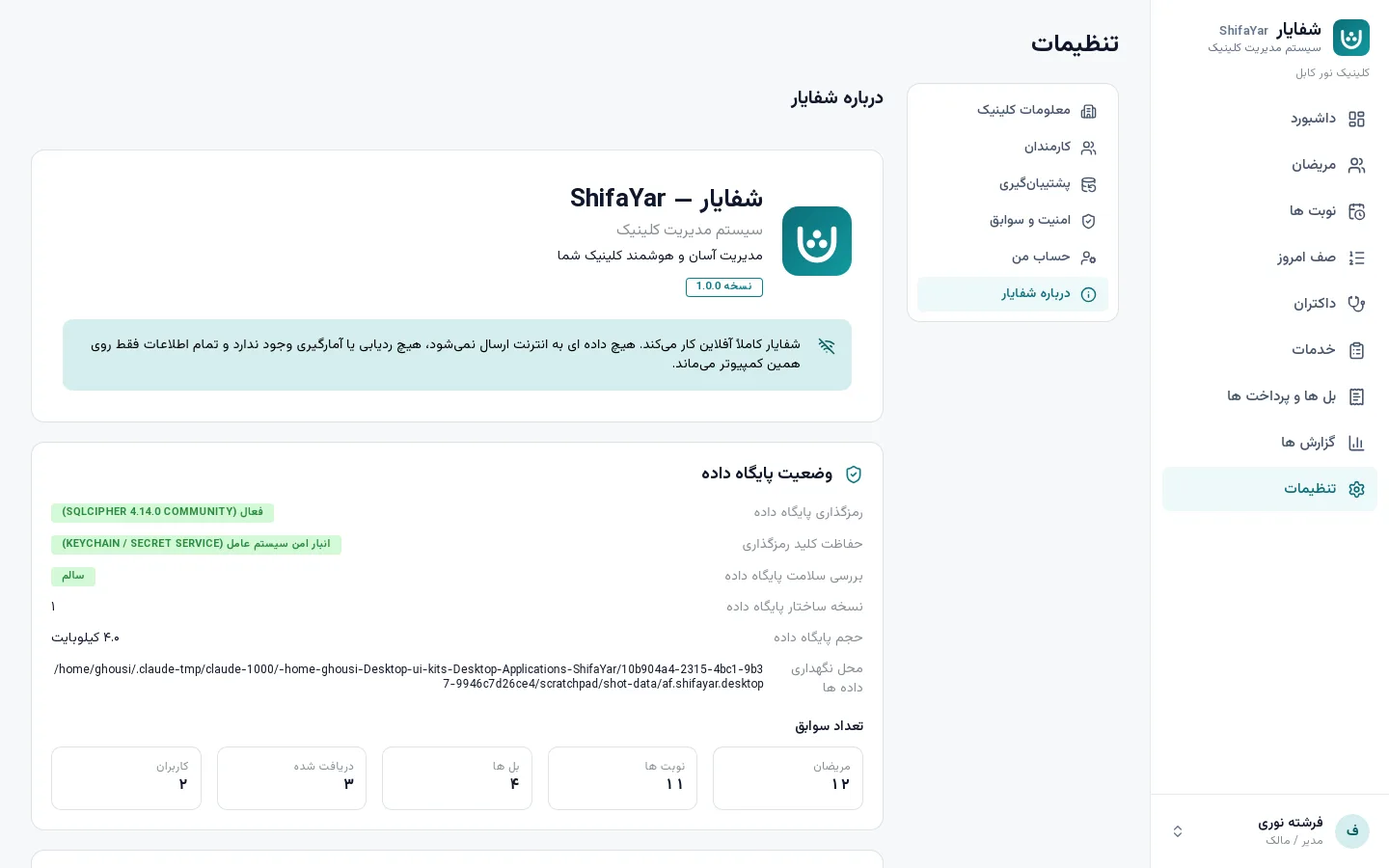
Encryption status
Download
Install ShifaYar on your clinic's computer
Contact us to get the installer, a trial copy or a clinic license. Installation, setup and staff training at your clinic are free.
FAQ
Common questions
Does ShifaYar need the internet?
No. ShifaYar runs fully offline on one computer. No server, hosting or monthly subscription is needed.
Where is patient data stored, and how safe is it?
Only on the clinic's computer, in a database encrypted with AES-256. The key is protected by the operating system and nothing is ever sent out.
What if the computer breaks?
Restore everything onto a new computer from your encrypted USB backup. ShifaYar reminds you when a backup is due.
Is the application fully in Dari?
Yes. Dari is the main language with a right-to-left design, and English is one click away. Dates show in Solar Hijri or Gregorian.
Which computers does it run on?
Windows 10 and 11 (recommended), macOS 11 or later, and Linux (Ubuntu). A normal office computer is enough.
Can several staff members use it?
Yes. Each staff member has their own account — admin, receptionist or doctor — all working on the same clinic computer.
How much does ShifaYar cost?
Please contact us on WhatsApp or by email for a clinic license and pricing.
Bring order to your clinic today
Book a free demonstration at your clinic and see ShifaYar with sample data.
Request a demo